You can share and manage projects with your team members.
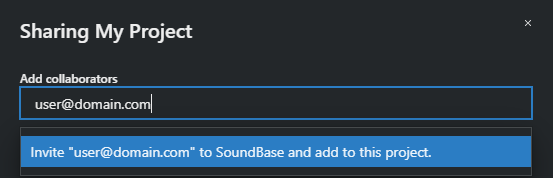
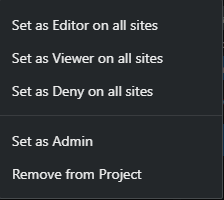
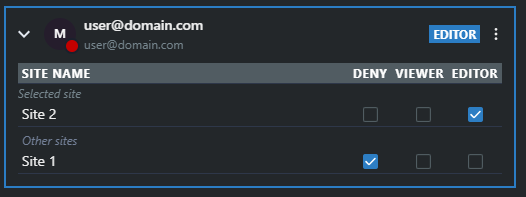
To add SoundBase users, enter their email address. They will receive editor access to the current site only, with no access to other sites. You can modify their permissions across all project sites, promote them to admin, or remove them from the project using the Deny/Editor/Viewer drop-down.
Each collaborator’s access is set separately for each app, site by site: Dashboard, Harmony, Nexus and Coord. For each site you choose Deny, Viewer or Editor. When you share from inside an app, you’re setting access to that app. When you share from outside one, choose the app with Select App first.
In Harmony:
Viewer can open every show at the site and see everything in it, but can’t add, change or delete anything.
Editor can also add, change and delete the site’s shows and everything in them.
Picking wireless models and calculating frequencies in Harmony also needs Editor in Coord, because the frequencies live in Coord. So does deleting a site from Harmony, because it deletes the site in every app.
Harmony is rolling out gradually. You can give someone Harmony access on a project before Harmony is available to their account. They’ll be able to use it once it is. See Harmony.