

Editing profile settings
Your photo, name, and contact details — plus the date and time formats, interface language, and analytics preference that shape how SoundBase looks to you.
Open the user menu (your avatar, top right) and choose My Settings… → Profile.
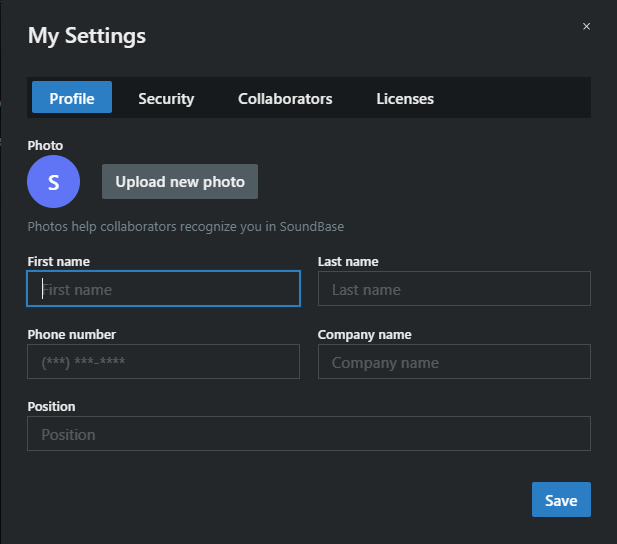
Click Upload new photo and pick an image; Remove photo clears it. Your photo identifies you to collaborators — in presence indicators, the sharing dialog, and project activity.
Your details
Section titled “Your details”- First name and Last name — how you appear to collaborators. (Accounts start with your email address here, so this is worth setting on day one.)
- Phone number, Company name, and Position — contact details for the people you share projects with.
Display preferences
Section titled “Display preferences”- Date Format — MM/DD/YYYY (US), DD/MM/YYYY (Europe), YYYY-MM-DD (ISO), DD.MM.YYYY (German), or MM-DD-YYYY. A live example shows the result.
- Time Format — 12-hour (AM/PM) or 24-hour.
- Language — where available for your account: English, German, Spanish, French, Portuguese (Portugal), Korean, Japanese, or Chinese.
- Share Analytics (optional) — opt in or out of sharing usage analytics with SoundBase; the same choice you made when accepting the user agreements.
Click Save to apply. Changing the date/time format, language, or analytics preference reloads the app so the new settings take effect everywhere.